The Ultimate Guide to Video Conference Etiquette and Setup
video conference tips
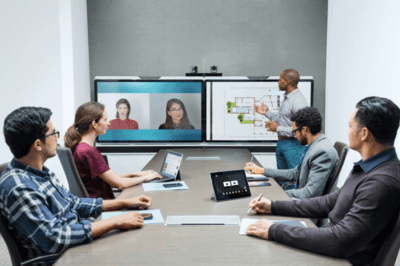
To make your video conferences more productive and valuable for everyone involved, it is essential to follow general best practices
. Whether you are attending in person or dialing in remotely, optimizing your approach will significantly elevate the meeting experience for the entire team
Here is a structured guide to ensure your next virtual meeting is a success.
Part 1: Optimizing Your Remote Setup
If you are participating remotely, your technical setup and physical environment are the foundation of a good call. Follow these steps to ensure the best possible experience
• Secure Your Connection: Whenever possible, use a wired Ethernet connection to avoid the speed issues and dropped calls commonly associated with WiFi
• Plug In Your Device: If you are using a laptop, connect it to its power adapter
. Relying solely on battery power can negatively impact your video quality
• Test Your Equipment: Ensure your camera, microphone, and audio output are ready to go
. It is highly recommended to use earbuds or a headset to prevent audio echoes and feedback (howling), even though most modern laptops and desktops have built-in audio hardware
• Run a Pre-Call Check: Always test your connection before the meeting begins; this is strongly recommended
• For Zoom users: Visit the Zoom website to test your audio and video connections
• For WebEx users: Enter your personal WebEx room, use the "Audio" drop-down menu to test sound, and check your screen to verify video output
• Optimize Your Environment: Be mindful of your surroundings and your visual presentation
• Choose a quiet location free from background noise
• Close window blinds to prevent backlighting, making it easier for others to see your face
• Adjust your seating or camera angle to ensure you are properly framed in the shot
• Dress for the Camera: Wear clothing in solid, neutral colors
. You should avoid wearing pure black, pure white, or striped patterns, which can distort on camera
Part 2: Communication and In-Meeting Etiquette
The way you interact on a video call requires a different approach than face-to-face conversations. Use these communication tactics to keep the meeting flowing smoothly:
• Account for Latency: When you ask a question or request information, leave extra time for people to reply, as the system may experience slight transmission delays
• Be Direct: To avoid confusion, direct your questions to specific individuals rather than the general room
• Manage Interruptions: Try to avoid interrupting others while they speak
. Many video systems use voice-activated switching to focus the camera on the active speaker; talking over someone can disrupt this feature
• Establish Ground Rules: Build a mutual understanding among participants on how and when to interrupt
. For example, agree to have people physically raise their hands or use another signal to indicate they want to speak
• Utilize the Chat: Consider using the chat function to post questions that need answering without verbally interrupting the flow of the presentation
• Stay Alert: Always maintain awareness of your actions
. Because you are on video, participants can see what you are doing at all times.
• Foster a Safe Environment: Create a team culture where participants feel safe respectfully pointing out when someone is breaching meeting etiquette
Part 3: Troubleshooting and Contingencies
Even with perfect preparation, technical issues can arise. Keep these final tips in mind:
• Follow Instructions Carefully: Read all instructions provided in the video conference invitation
. Pay special attention to supplemental information, such as backup phone numbers you can use if your connection drops
• Understand Support Limitations: Be aware that IT support (such as ITS) cannot troubleshoot remote connection issues in non-USD regions, as there are simply too many variations in personal equipment configurations and network setups.